

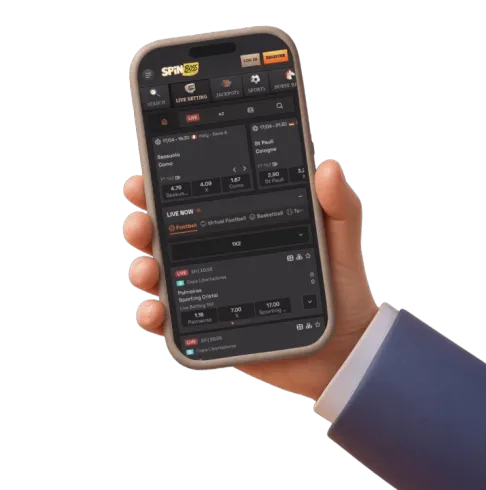
Playing SpinBoss Casino On Mobile Without A Download
We built our site to work properly in a mobile browser rather than pushing everyone toward an app store listing. There is no native SpinBoss app for iOS or Android, and we are upfront about that: what we offer instead is a fully responsive mobile casino that runs directly through Safari, Chrome or any other major mobile browser on your phone or tablet. Everything you would expect from a downloaded app is already built into the mobile site itself, from the games lobby to the cashier, so you are never asked to sideload an APK file or trust a third-party app store outside the official ones.
This approach has a practical upside for UK players. Native gambling apps distributed outside the Google Play Store or Apple App Store often arrive as APK files that require you to change your phone’s security settings before installing, which carries its own risks around unverified software. Because our platform runs entirely in the browser, you avoid that step altogether. You simply open spinxboss.com on your mobile browser, log in, and the full casino loads exactly as it would on a desktop, adapted to your screen.
What Runs In The Browser
Our mobile browser experience is not a stripped-down version of the desktop site. Everything available at a desktop is also available on mobile, including:
- The complete games lobby, covering our slots library and live casino tables
- The sportsbook and live betting markets
- The full promotions and VIP club sections
- Account management, including deposits, withdrawals and bonus claims
Because deposits, withdrawals and bonus claims are fully supported on mobile, there is no need to switch to a desktop computer to manage your balance or claim an offer. If you want to see the full range of games before you start, our online slots page runs the same way on mobile as it does on desktop.
Create Shortcut: The App-Like Alternative
We offer a Create Shortcut feature that gives you the closest thing to a native app experience without an app store download. This adds a SpinBoss icon directly to your phone’s home screen, so you can open the casino with one tap rather than typing the address into a browser each time. It behaves like a bookmark with an icon rather than a downloaded application, meaning it still runs through your mobile browser in the background, but it removes the friction of navigating to the site manually.
Setting this up takes a few taps and varies slightly by device:
- Open spinxboss.com in your mobile browser and log in to your account
- Open your browser’s menu (usually the share icon on iOS or the three-dot menu on Android)
- Select the option to add the page to your home screen
- Confirm the shortcut, and the SpinBoss icon will appear alongside your other apps
Once added, tapping that icon takes you straight into the casino, bypassing the need to search for the site or retype the URL each session.
How Our Android Experience Works Without An APK
Android phones are historically more flexible about installing software from outside the Play Store, which is why some gambling operators distribute standalone APK files for Android users. We have deliberately not gone down that route. Instead, Android players get the same browser-based access as everyone else, opened through Chrome or whichever browser is set as default on the device. This sidesteps the security prompts that come with installing an unverified APK, and it means there is no separate download size to worry about, no app update to install, and no compatibility question about which Android version you are running.
In practice, this means an Android player visiting spinxboss.com gets:
| Aspect | How it works on Android |
|---|---|
| Access method | Mobile browser (Chrome or equivalent) |
| Installation required | None — no APK download |
| Home screen access | Available via Create Shortcut |
| Games and account features | Full lobby, cashier and VIP club, same as desktop |
Android users who prefer having an icon to tap rather than opening a browser tab can still get that convenience through Create Shortcut, described above, without the security trade-offs of installing software from outside an official store.
How Our iOS Experience Works In Safari
Apple’s operating system is generally stricter about what can be installed outside the App Store, and real-money gambling apps are frequently absent from the App Store itself in many regions due to Apple’s own policies. That backdrop is part of why a browser-based approach makes sense for iPhone and iPad players. On iOS, you open spinxboss.com in Safari (or another iOS browser), log in, and the site renders using the same responsive layout as it does on Android or desktop. There is no iOS app requirement to check, no compatibility table to consult, and no App Store listing to search for.
The Create Shortcut feature works particularly well on iOS, since Safari’s “Add to Home Screen” function creates an icon that looks and behaves much like a standalone app icon, even though it is technically a saved browser shortcut. For an iPhone user, the day-to-day experience becomes: tap the SpinBoss icon on the home screen, land straight on the login or lobby, and play. The underlying technology is the mobile website, but the access pattern feels like using an installed app.
Comparing Mobile Access Options
It helps to see the two realistic ways of reaching the casino on a phone side by side:
| Access method | Steps to open | Storage used | Update process |
|---|---|---|---|
| Direct browser visit | Type or bookmark the URL | None | Automatic, nothing to update |
| Create Shortcut icon | One tap from home screen | Minimal (a bookmark, not an app) | Automatic, nothing to update |
Both routes lead to the exact same site, so the choice comes down to convenience rather than functionality. Since there is no separate app binary, there is also nothing to keep updated manually — whatever changes we make to the site are live the next time you open it, whichever route you use to get there.
What You Can Actually Do Once You Are Logged In On Mobile
A mobile casino is only as useful as what you can complete on it without hunting for a desktop. On our site, the mobile browser experience covers the full account lifecycle, not just game-browsing. That includes registration and login, which is covered in more depth on our login and register page, along with every step that follows once you are signed in.
Once logged in on mobile, you can:
- Browse and filter the games lobby by categories such as Top, New, Popular, Jackpots, Bonus Buys, Megaways, Live Games and Instant Games
- Load live dealer tables, including roulette, blackjack and game shows, directly in the browser
- Deposit using any of our supported payment methods, from cards and e-wallets to cryptocurrency
- Request a withdrawal and track its status
- View and claim active promotions, including reload offers and cashback
- Track VIP progress and loyalty points across the 25-level VIP Club
Because the mobile site mirrors the desktop lobby filters, finding a specific type of game on a small screen is not materially harder than on a large one. If you are specifically after the live tables, our live casino page gives a fuller picture of what is on offer, and it loads through the same mobile browser as the rest of the site.
Managing Money On Mobile
Deposits and withdrawals on mobile go through the same cashier logic as desktop, meaning the same minimum deposit and processing times apply regardless of device. A quick summary of what to expect when banking from your phone:
- Minimum deposit sits at £10 across supported methods, with deposits processing instantly for cards, e-wallets and bank transfer, and instantly after network confirmations for cryptocurrency
- Withdrawals carry a £20 minimum, with e-wallet withdrawals typically clearing in 0-24 hours, cards in 1-3 business days, and bank transfers in 3-5 business days
- Crypto withdrawals process instantly once approved on our side
For the complete breakdown of every supported method, including cryptocurrency options and any notes on specific providers, our dedicated payment methods page covers this in full rather than repeating it here.
Screen Size, Data Use And Practical Mobile Tips
Playing casino games on a phone screen involves some genuine trade-offs compared with a desktop monitor, and it is worth understanding these regardless of which operator you use. Slot symbols, paytables and live dealer video feeds are all rendered smaller, so a stable connection and a reasonably sized screen make a noticeable difference to comfort, particularly for live tables where you are reading card values or roulette wheel results in real time. Portrait orientation tends to suit simpler slot titles, while landscape mode is often more comfortable for live dealer games or titles with detailed side panels showing multipliers or bonus features.
Because the mobile experience runs through your browser rather than a locally installed app, gameplay does rely on a live data or Wi-Fi connection throughout a session, with no offline mode possible. A few practical points worth keeping in mind:
- A stable Wi-Fi connection is generally preferable to mobile data for live dealer streaming, which uses continuous video
- Closing other background apps can improve loading speed on older or lower-memory devices
- Keeping your mobile browser itself updated (via your phone’s normal app updates) ensures you get the best rendering performance, since the browser — not a SpinBoss app — is doing the technical work
- Using the Create Shortcut icon avoids retyping the URL, which matters more on mobile keyboards than on desktop
None of this requires special technical knowledge; it is simply a case of understanding that the browser is your access point, and treating it accordingly.
Staying In Control While Playing On The Go
Mobile access makes it easier to open the casino at any moment, which is exactly why we think it matters to be deliberate about play rather than casual about it. We provide deposit limits, session controls and self-exclusion options so you can set boundaries that suit your own circumstances, and our Responsible Gaming policy is documented in the site footer for anyone who wants the full detail. Our full welcome bonus offer and ongoing promotions are also accessible on mobile exactly as they are on desktop, but we would always encourage treating any bonus as part of entertainment spending, not as a way to chase losses or solve financial pressure.
If you are new to mobile play generally, a sensible habit is to set a personal deposit limit before your first session on any device, mobile included, precisely because a phone makes it easy to dip in and out throughout the day. Our support team is available 24/7 through live chat and email if you want help adjusting limits or understanding any control available to you. Registration itself, along with account verification requirements, is covered on our login and register page rather than here, so head there if you have not yet created an account.
Opening SpinBoss on your phone takes nothing more than a browser and a few taps, whether that is through a direct visit to spinxboss.com or a Create Shortcut icon sitting on your home screen. We built it this way so that mobile play never feels like a compromise compared with sitting at a desktop, and so you are never asked to trust an APK from outside an official store. Log in whenever suits you, keep your own limits in mind, and enjoy the games at a pace that stays comfortable. Must be 18+ to play, and we encourage responsible, entertainment-first gambling at all times.